
Downgrade Firmware DB06 ,DE07 for Epson WF-C5890 & WF-C5390
Here is a professional blog post draft optimized for a WordPress website. It includes a structured layout, SEO-friendly headings, and the specific Call-to-Action links you requested.
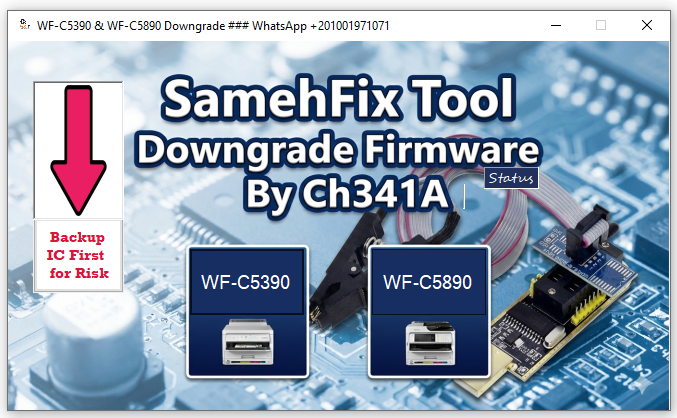
Unlock & Downgrade Firmware for Epson WF-C5890 & WF-C5390: The Ultimate Chipless Solution
Post Content:
Are you struggling with the latest firmware updates on your Epson WorkForce Pro printers? If you are looking to install Chipless Firmware on models like the Epson WF-C5890 or WF-C5390 but are blocked by the manufacturer’s latest security locks, we have the professional solution you need.
In this guide, we introduce a powerful, easy-to-use software tool combined with the CH341a Programmer. This method allows you to unlock the motherboard, downgrade the firmware, and successfully convert your printer to a chipless version.
Why Downgrade Your Epson Firmware?
Epson frequently releases firmware updates that lock out third-party solutions. Once updated, the printer often refuses standard firmware downgrades over USB, making it impossible to install Chipless Firmware directly.
To bypass this, you need a hardware-level solution that communicates directly with the printer’s chip. This is where our specialized tool and the CH341a Programmer come in.
The Solution: Easy Software Tool + CH341a Programmer
We provide a comprehensive tool designed specifically for technicians and advanced users. This solution supports the Epson WF-C5890, WF-C5390, and other compatible models.
Key Benefits:
- Unlock Locked Firmware: Bypass the latest security patches that prevent USB downgrading.
- Hardware-Level Access: Uses the CH341a Programmer for a direct and reliable connection.
- Enable Chipless Mode: Once downgraded, your printer will accept Chipless Firmware, allowing you to save significantly on ink costs.
- User-Friendly Interface: The software is designed to make the complex process of writing firmware simple and efficient.
How It Works
The process is straightforward for anyone familiar with basic printer maintenance:
- Connect: Use the CH341a Programmer to connect to the printer’s motherboard.
- Unlock & Downgrade: Run our specialized software tool to wipe the locked firmware and write the unlocked, older version.
- Install Chipless Firmware: Once the printer is downgraded and unlocked, it will accept the standard Chipless Firmware installation via USB.
Get the Tool Now
Ready to unlock your printer’s full potential? You can purchase the complete software tool to unlock and downgrade your Epson WF-C5390 and WF-C5890 directly from our store.
Button: Buy Firmware Downgrade Tool Here
Need Assistance? Contact Us
If you have questions about the process or need technical support, we are here to help. Contact us directly via WhatsApp for fast assistance.
Button: Chat with Us on WhatsApp
(WhatsApp Number: +20 100 197 1071)
Note: This procedure involves hardware interaction. Please ensure you follow all instructions provided with the tool to ensure a safe and successful downgrade.